The Haxiom team would like to wish you a happy and properous new year! This January we have been hard at work building and fixing many features to make the platform the best platform for your team's documentation.
# New Features
# Authorship
One of the most requested feature is knowing who created a particular document and who has edited it. This was a deal breaker for some teams because they have requirements for that. Apart from that, knowing who created and modified a document significantly facilitates communication in a working environment. Authorship can be viewed in the dashboard file list or the file itself.

# Github Sync
Our Github Sync is more powerful than ever and it is a step closer to our goal of becoming the the single source of truth for documentation in organizations. Previously, it was severely limited and could only mirror a singular README. Images, references don't work. Now
- Mirror markdown files from whole repo
- Images and documents are resolved
- Orphaned images are deleted to ensure good use of space
This will give a true mirroring experience and allow existing docs to be mirrored from github without much of a difference.
# Iframes in markdown
Initially we were super hesitant to enable this as iframes can be a source of many attack vectors such as XSS. After much consideration, we have enabled iframe while maintaing security via post-sanitizing output.
You can create the following above iframe like this in your markdown
Code
<div class="flex justify-center"> <!-- center your iframes -->
    <iframe width="560" height="315" src="https://www.youtube.com/embed/J8U33fzXGQc?si=2ua6v6E_TfwfSctf"
        title="YouTube video
        player" frameborder="0" allow="accelerometer; autoplay; clipboard-write; encrypted-media; gyroscope;
        picture-in-picture; web-share" referrerpolicy="strict-origin-when-cross-origin" allowfullscreen>
    </iframe>
</div>
# Code Collapse and Code Copy
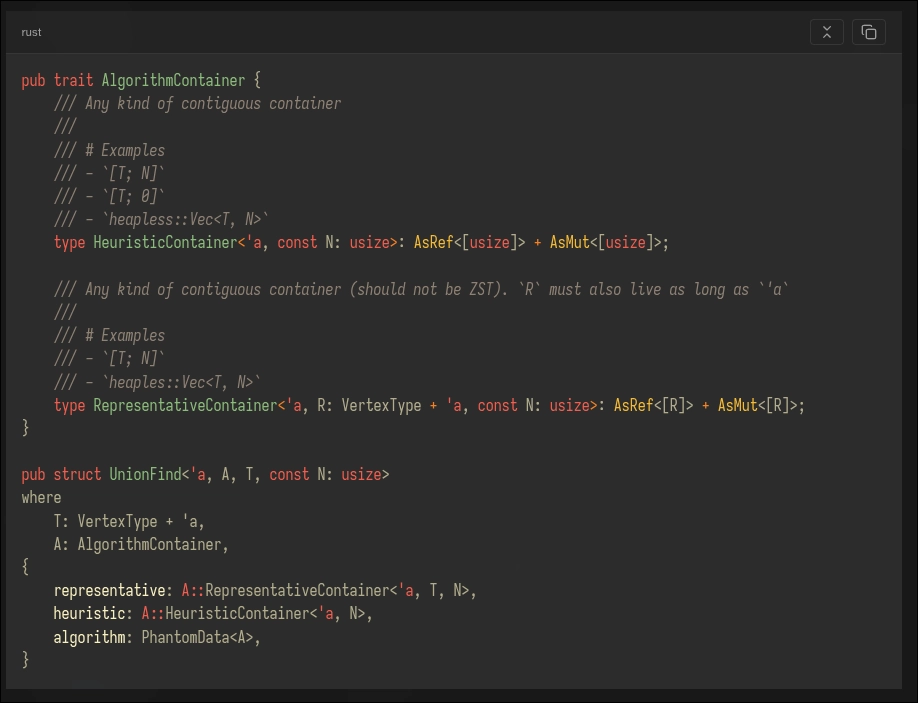
Previously copying from code blocks was only available to Haxiom Pages. Now even in Haxiom you can read documents and copy code from and collapse them. While this is not a big feature, the QoL it offers is really nice. It looks like this
# Editor QoL + Syntax highlighter theme selector
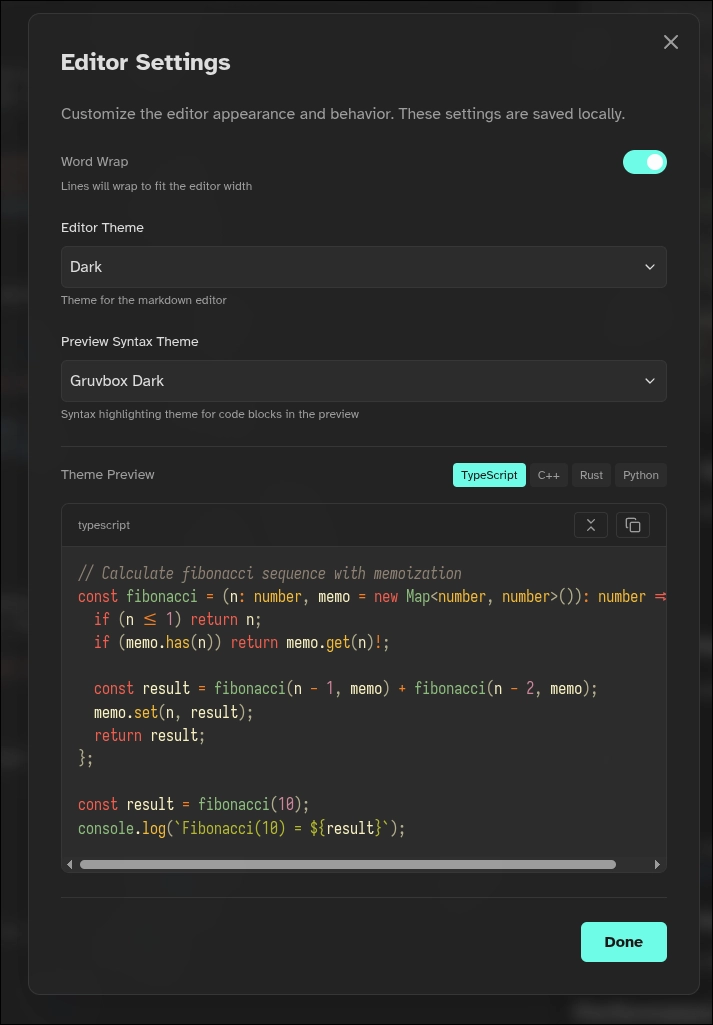
Previously, there was no way to enable word wrap as well change the theme of your renderer. Now in editor settings as well as global settings you can set it.
# Scroll Sync
Now you can toggle scroll sync between your editor and markdown renderer. At the current stage it is not perfect and will break when you have large images or iframes. We are working on improving this without sacrificing performance.
# Document outline for Haxiom Pages on mobile and smaller devices
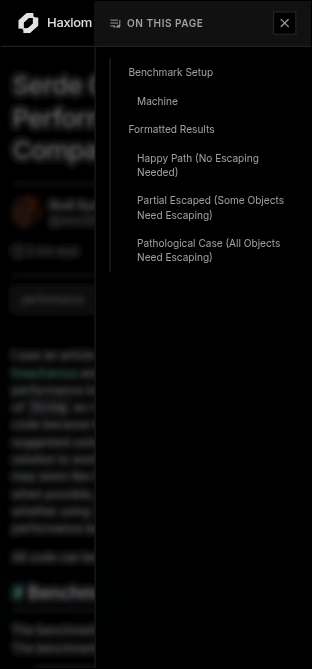
Previously reading on mobile was a bit hard if an document is long. On desktops this is perfectly ok because you have the outline. Now on mobile You can open the outline and jump to the particular section you want.
# Mermaid Diagrams
One of the highly requested feature is the integration of mermaid diagrams. Both renderers in Haxiom as well as Haxiom Pages support mermaid via code blocks with the mermaid language. Example:
Code
graph TD
    A[Start] --> B{Is it working?}
    B -->|Yes| C[Great!]
    B -->|No| D[Debug]
    D --> B
    C --> E[End]
There were some concerns where the renderer might not be fast enough for realtime edits in Haxiom. However, during testing, the performance is good due to the user of cached diagrams reducing rerender. We are still looking for feedback for mermaid diagrams so if you found bugs or quirks feel free to email us!
# Full Text Search
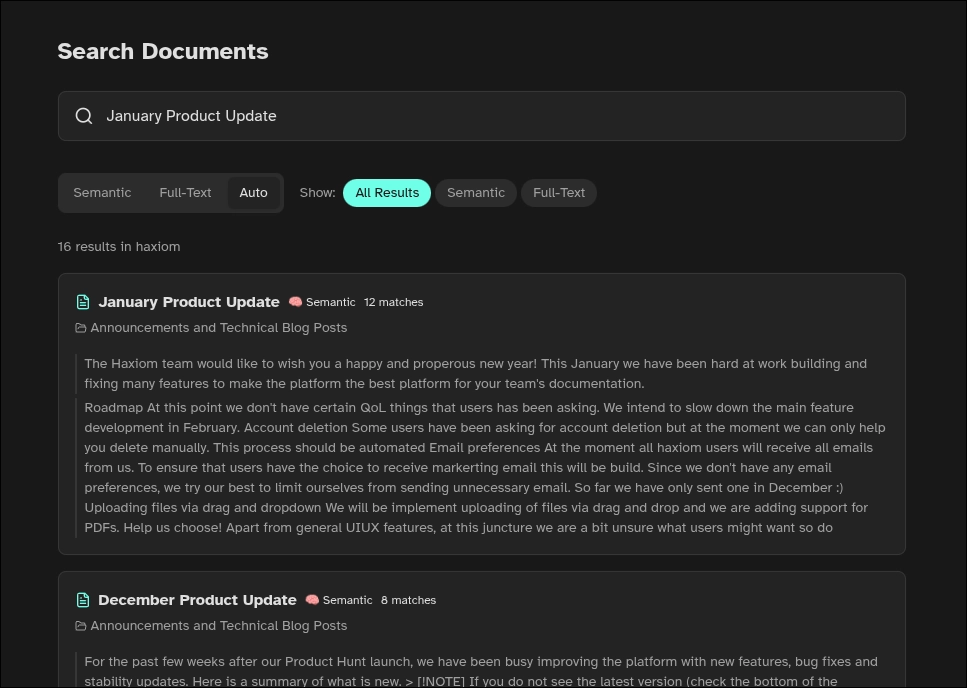
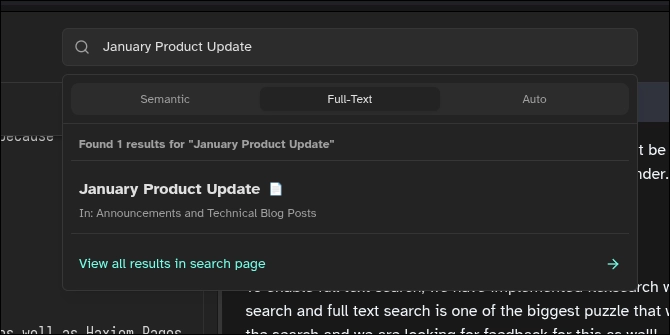
To enable full text search, we have implemented flexsearch which was enabled by our clientside caching. We are continously trying to improve our search and full text search is one of the biggest puzzle that will complete this feature. Since our app is still in beta, there might still be bugs with the search and we are looking for feedback for this as well! Note that cross workspace full text search is a PRO only feature.
# Renaming and preview when pasting images
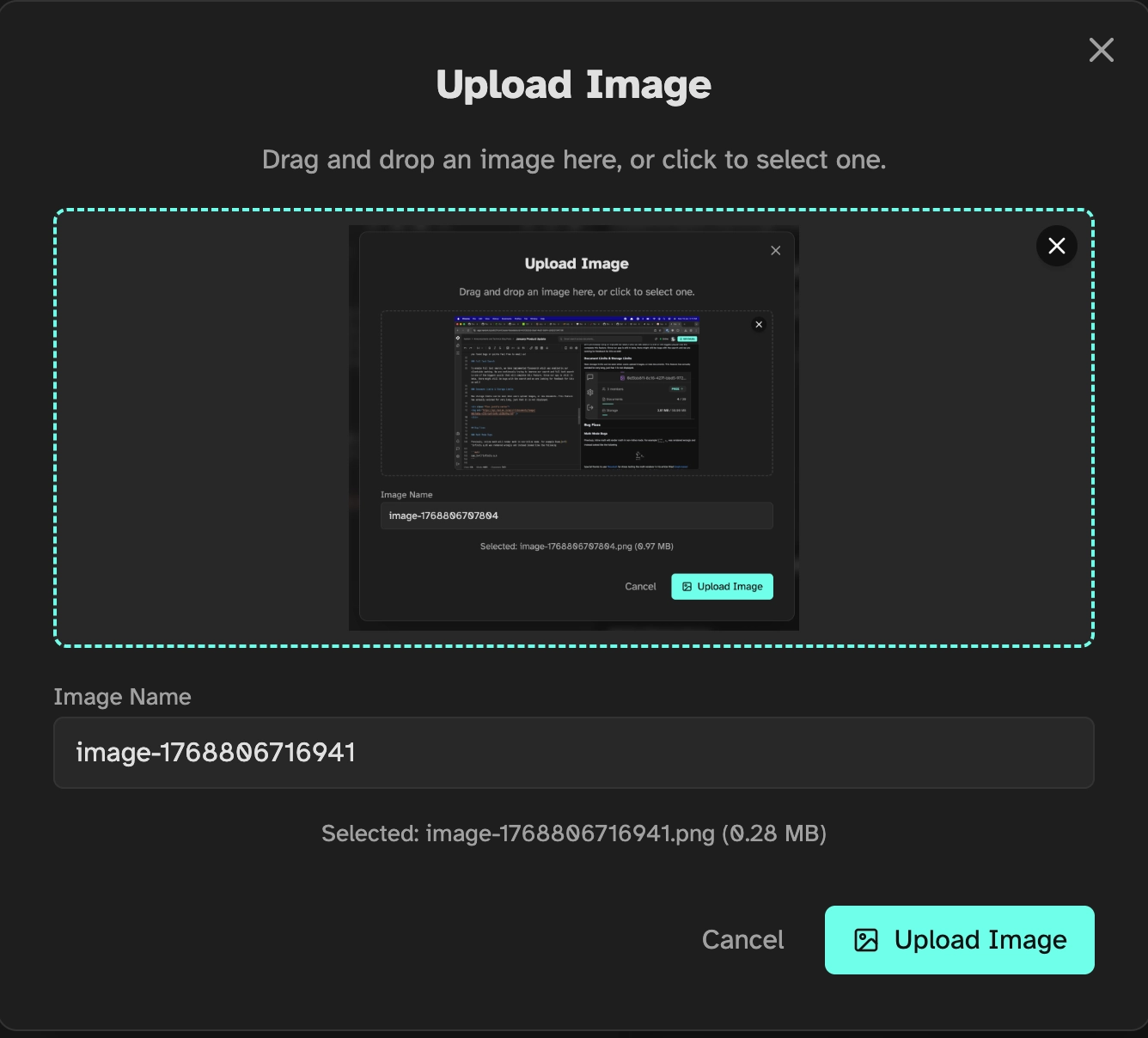
When pasting images, now haxiom will show a modal showing the preview and change of name. This was requested by users because sometimes they might have pasted twice for the same image. Having an image preview is necessary to prevent waste storage for images that might be pasted wrongly
# Bug Fixes
# Math Mode Bugs
Previouly, inline math will render math in non-inline mode. For example was rendered wrongly and instead looked like the following
Special thanks to user @euwbah for stress testing the math renderer in his article titled Graph-based concordance and contextual tonicity/root-perception analysis with pitch memory for large chords
# Math Mode inline CSS
CSS applied to inline math was slighly off, i.e. the rendered SVG is slightly lower than the rest of the text. This has been fixed.
# Github Sync Repository List
Previously the list will not show all your repositories if you dont have alot. Now users with alot repos can see all their repos in the dropdown.
# Outline generation for Haxiom Pages
Previously, headers that are mixed with other things like links or math will break outline generation. Now this has been fixed.
# Haxiom Pages breaks with long math equations for mobile
Long equations used to break mobile pages due to them being bigger than the viewport. Now long equations are scrollable on smaller devices while maintaining responsiveness.
# Haxiom Pages broken copy link
Haxiom Pages copy link was broken when you copy links after you click any of the anchor links. This has been fixed.
# Performance Optimizations
# Avatars are cached more aggressively now
Previously avatars will be reloaded from our S3 provider everytime users refresh. It is no longer the case now as they are cached heavily. One drawback of this is that if you update the profile picture of your workspace, your other users wont see until they clear cache or wait till the cache expires. However, we have evaluated and this is a tradeoff we are comfortable taking.
# Document caching
To make the experience seemless on our platform, we decided to cache documents with syncing done whenever a change is made. This ensures that reading doucmnets will no longer see the loading state unless there are changes. Likewise, to reduce reliance on our s3 provider, we are also caching more on the server side, making loading document during edits much faster.
# Users facing problems
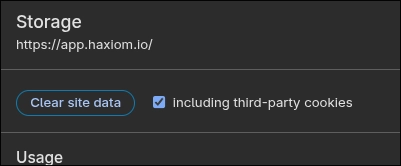
If you are facing problems seeing the cached documents. You might have to clear your cache.
# Roadmap
At this point we don't have certain QoL things that users has been asking. We intend to slow down the main feature development in February.
# Account deletion
Some users have been asking for account deletion but at the moment we can only help you delete manually. This process should be automated
# Email preferences
At the moment all haxiom users will receive all emails from us. To ensure that users have the choice to receive markerting email this will be build. Since we don't have any email preferences, we try our best to limit ourselves from sending unnecessary email. So far we have only sent one in December :)
# Uploading files via drag and dropdown
We will be implement uploading of files via drag and drop and we are adding support for PDFs.
# Help us choose!
Apart from general UIUX features, at this juncture we are a bit unsure what users might want so do let us know!
# Feedback
We are constantly looking for feedback. If you have any issues or feature request do not hesistate to email us