For the past few weeks after our Product Hunt launch, we have been busy improving the platform with new features, bug fixes and stability updates. Here is a summary of what is new.
Note
If you do not see the latest version (check the bottom of the sidebar; it should show App Version: ≥ 1.103.0) you can hard-refresh with Ctrl+Shift+R (or Cmd+Shift+R) or clear your browser cache for app.haxiom.io.
# Main App Features
# Upload or Paste Images
One of the most requested features is now available; you can upload images using the editor or paste them directly with Ctrl+V or Cmd+V.

# Resizable Editor
You can now resize the editor and preview pane. Hover your mouse over the divider in the middle and drag to adjust it. You can reset the layout by clicking the icon shown below in your editor toolbar.

# Keyboard Shortcuts
You can now use these shortcuts in the editor:
- Ctrl+B (Cmd+B) to toggle bold
- Ctrl+I (Cmd+I) to toggle italic
# Synced Scrolling
The editor now scrolls together with the preview pane. Some users prefer to turn this off; you can toggle this behaviour using the button shown in the editor (the button on the left).

# Diff View for Markdown Beautify
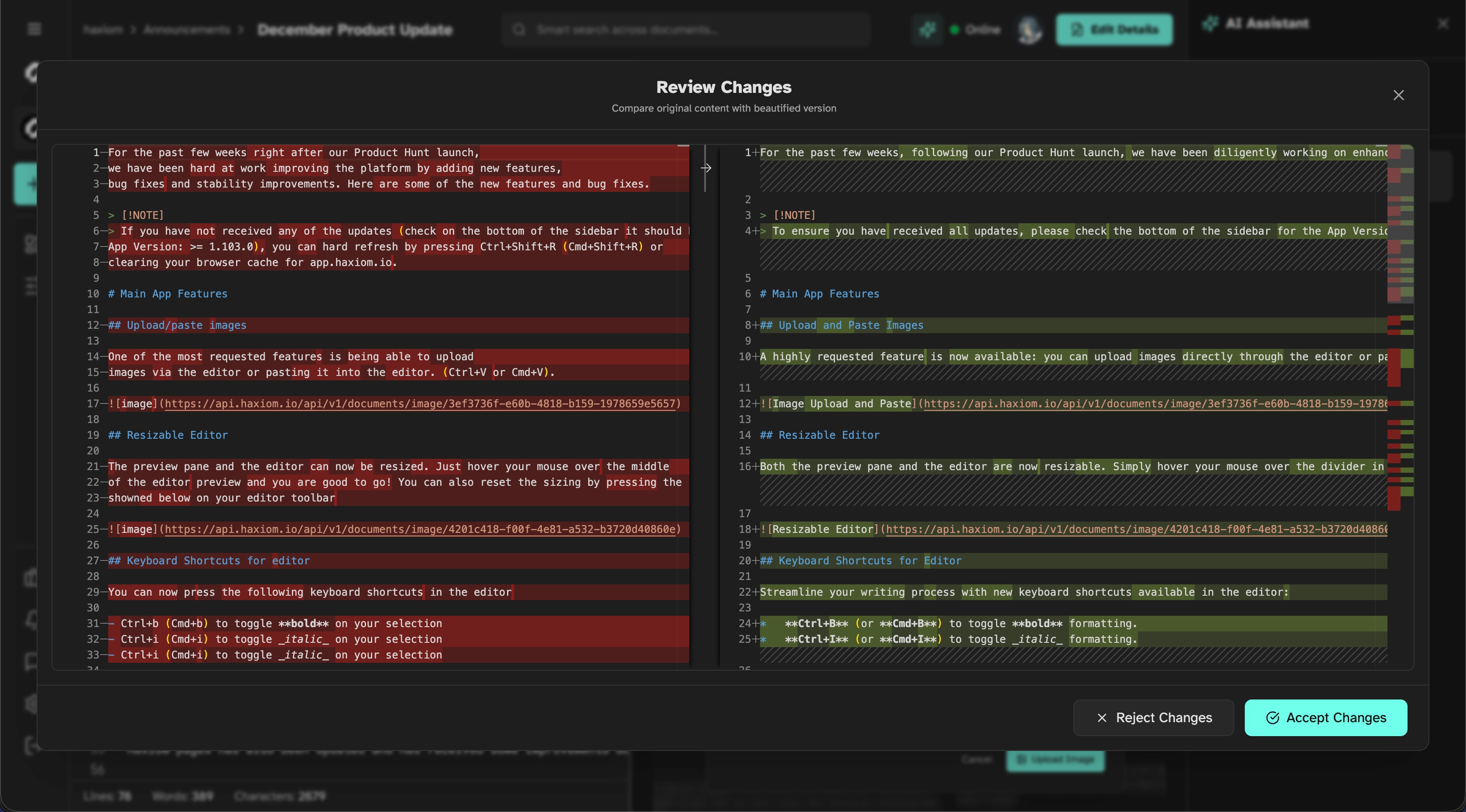
A much requested feature; you now get a diff preview before accepting beautify changes. Previously, the editor applied changes immediately which caused two issues:
- You could not see what changed at a glance
- If you were editing with others in a shared room they would see the update instantly
# Haxiom Pages Features
Haxiom Pages has also received several improvements.
# Shareable Anchor Links
You can now share specific sections easily. Click the # icon and the link is copied to your clipboard.
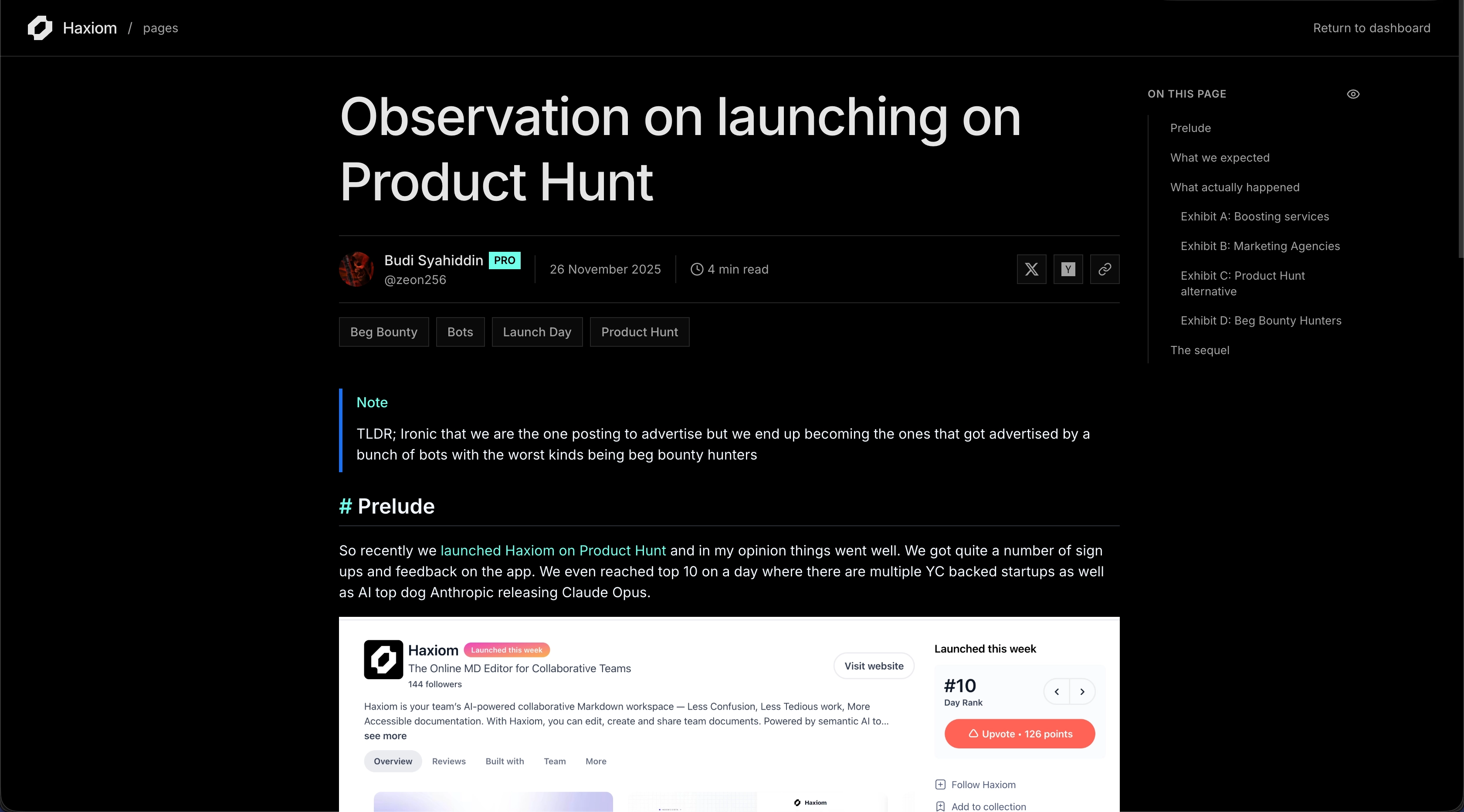
# Document Outline
Long documents are now easier to navigate; the new outline view helps you jump between sections quickly.
# OpenGraph Preview for Public Documents
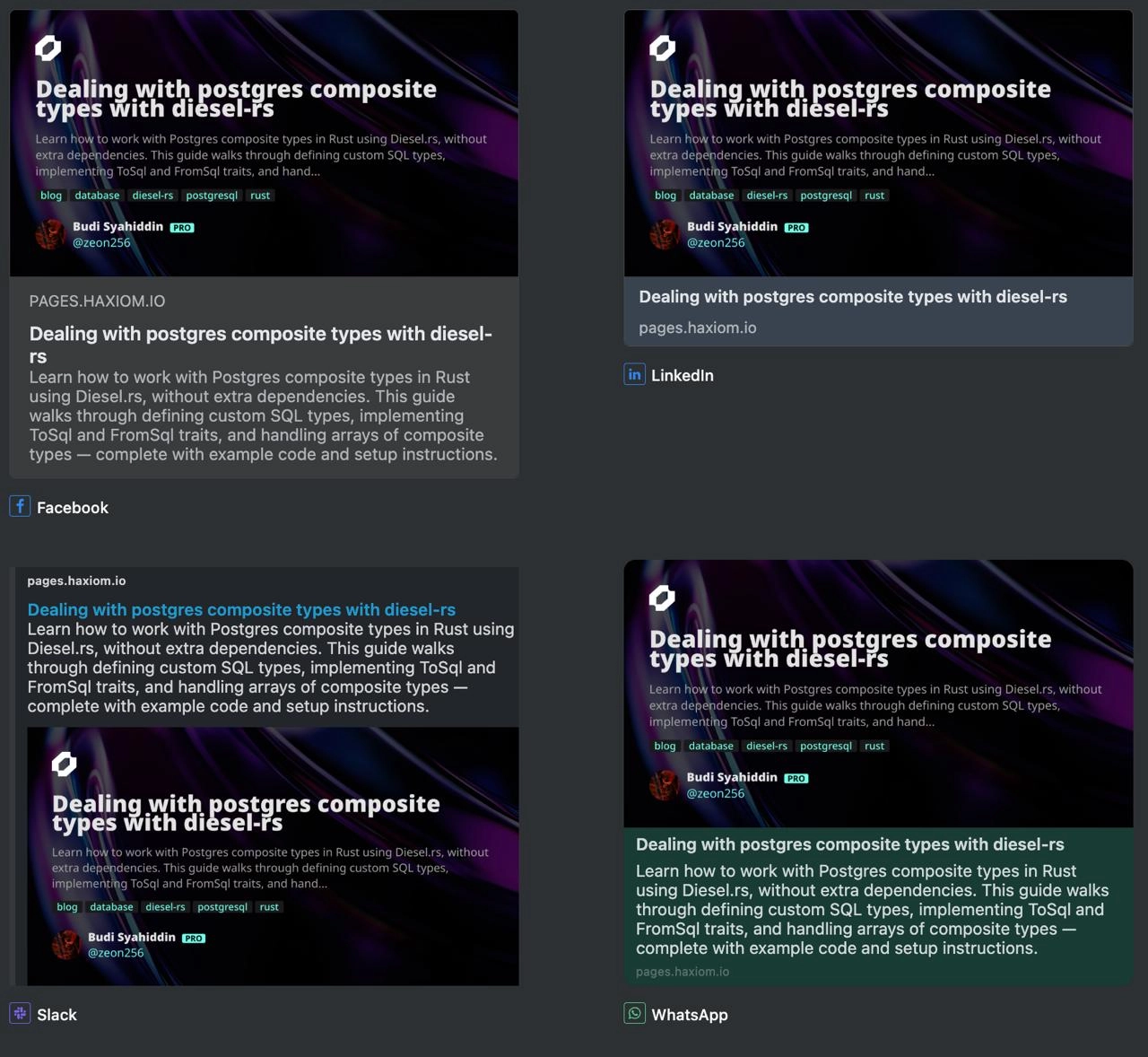
All public documents shared on social media now include a clean and readable preview.
We looked at many ways to implement this and discovered how Rust’s crates.io used Typst. We are long-time fans of Typst; we already use it for our math mode. A technical blog post on how we built this is coming soon; stay tuned.
# Light and Dark Mode Toggle
A simple but useful addition; you can now switch between light and dark themes.

# Future Roadmap
Note
These features are still being planned and may change. You can suggest ideas at
founders@haxiom.io. PRO customers will have their requests prioritised.
# Granular Document Permissions
While individuals may not need this, startups and companies often require fine-grained control over who can view or edit specific documents.
# Custom Domains for Pages (PRO)
Haxiom Pages is becoming a solid publishing platform; many teams want the option to bring their own domain. This feature will be available to PRO workspaces.
# Haxiom Pages Explore
Currently, the only way to discover documents is through the “recently posted” section on the home page. We plan to build Haxiom Explore to improve visibility of public documents and highlight top workspaces.
# AI Summary and Target Audience (PRO)
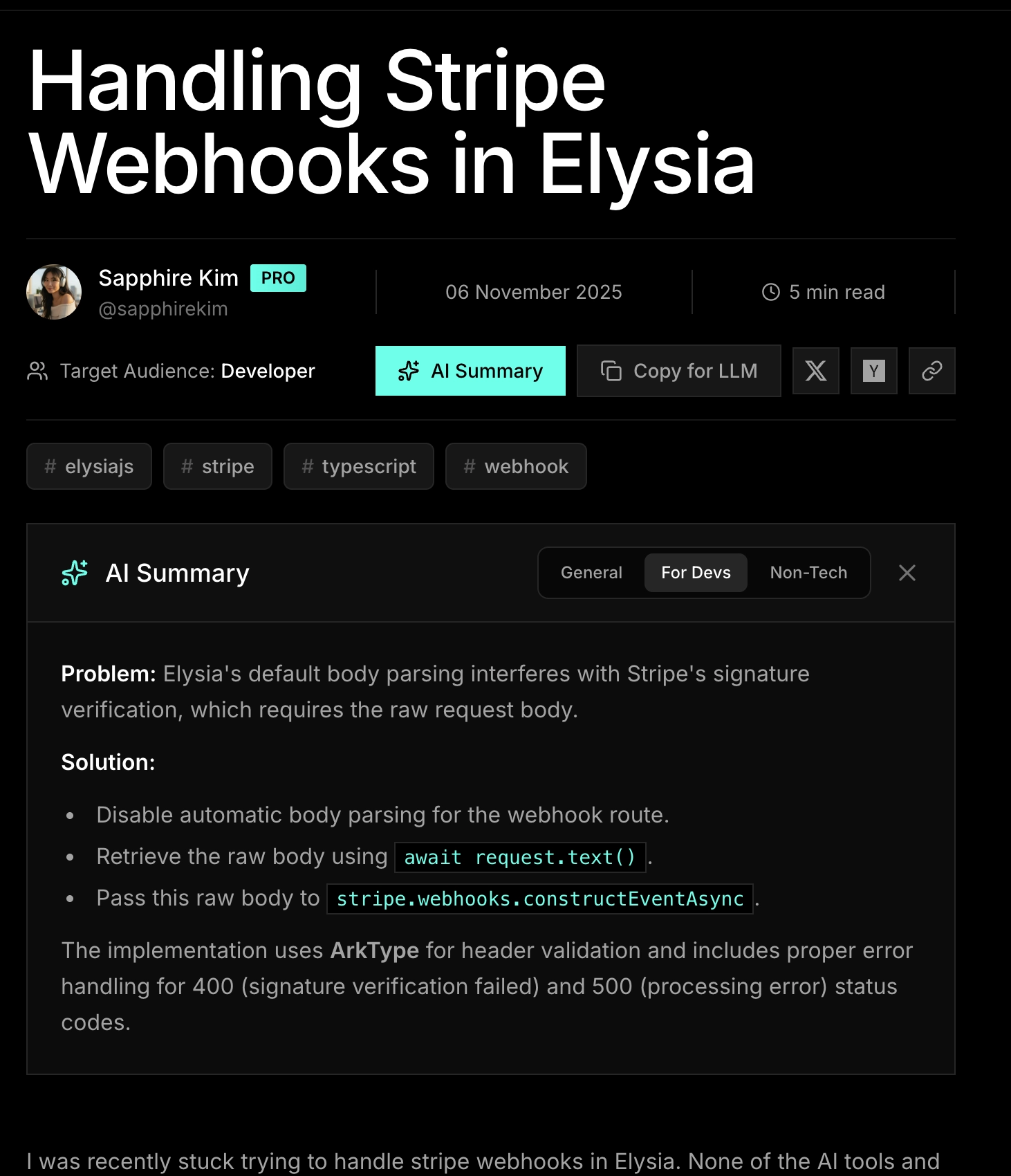
During our initial survey before we started this, we realised that most people in teams don't really write a lot and instead most just read what has been written by their fellow team members. To facilitate this, we will be introducing an AI summary and target audience to documents. What this means is that published docs as well as private docs can be marked with a main target audience, with the ability to see summary depending on who you are. For example if it's a technical document meant for developers but you are a product manager, you can view the summary curated just for your.
We are hoping that with this feature, communication betweeen technical and non-technical team members can be easily understood and knowing what target audience a specific document might be can save users alot of time. Here is a mockup that we intend to go for
# We'd Love Your Feedback
If you have feedback, questions or ideas for what we should build next, we would love to hear from you. Drop us an email at founders@haxiom.io.
Thanks for using Haxiom.